Grow Your Business Online.
Everything you need to run online bookings — for your customers and your team.
Why BookAService
Easy to Use
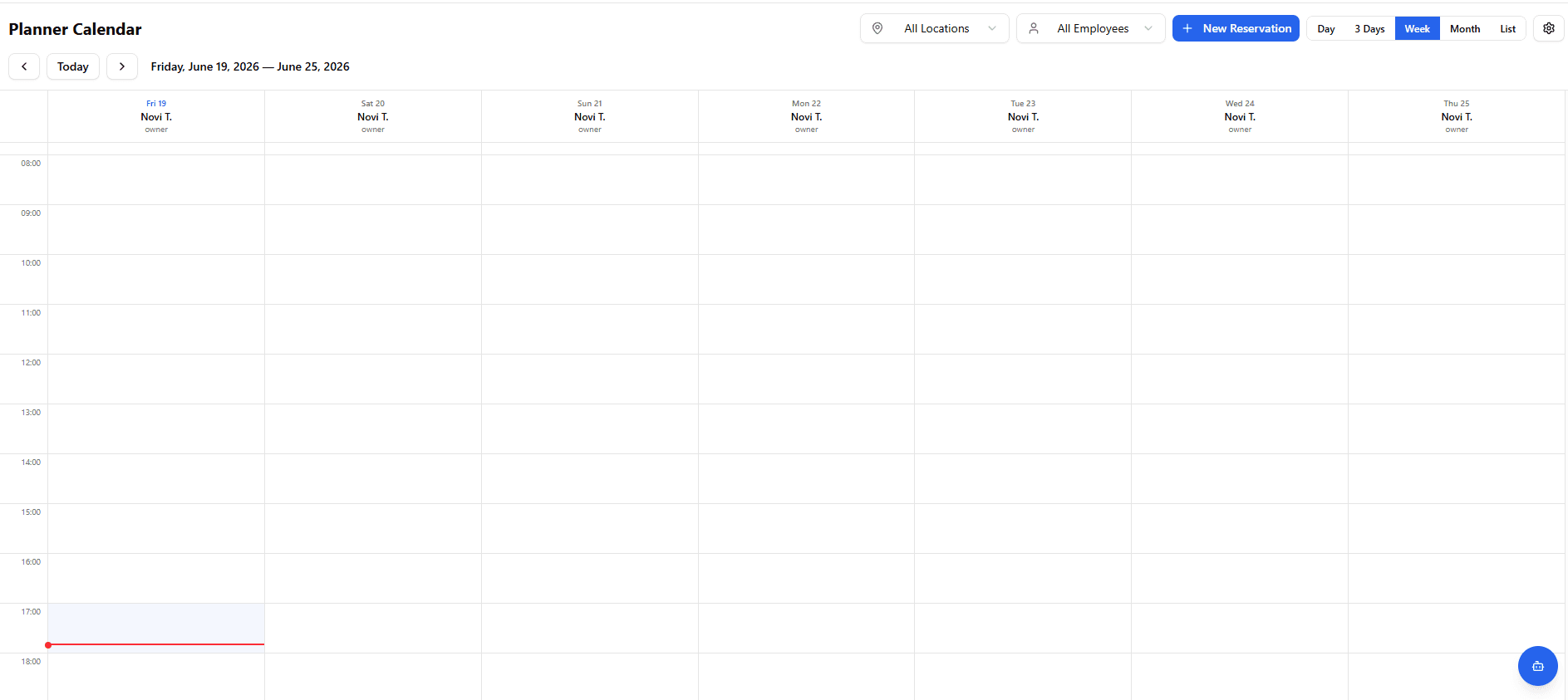
Simple setup, easy edits, fast search, and a clean view of your profile and services. A modern Planner calendar with multiple views of booked appointments and the staff carrying them out. Effortless booking management.
Improve Your Business
Set up your profile, add the services you offer, and define prices. Your profile is a free advertisement and storefront for customers. Existing customers can book more easily. After a service is completed, customers can leave ratings and reviews — which helps you win more work and new clients.
Save Time
Cut down on phone calls. Capture bookings that come in after working hours without calls or sticky notes. An online booking system can save you many hours each week.
Customer-Friendly
In step with the modern world: book online from a computer or phone. Online reservations available 24/7. Tailor the system to you and your customers.
Security
Digital security matters for every person who uses the internet, whether for personal or business use. We follow standards for privacy and personal data protection. We require registration and verification, with optional two-factor authentication (2FA). Business users — Providers — must be registered companies.
Affordable Pricing
Based on the selected plan, you pay a fixed monthly fee. Every plan shows the differences in features that BookAService offers. By registering your business you start your chosen plan with a 30-day free trial. On the last day of the trial you can decide to stop using our services or choose one of the offered plans matching the scale of your business. All plan prices are shown in the pricing list.
What can a Customer do?
- Search Providers and their services, prices, ratings, and reviews.
- Quick and easy booking with an estimated duration and choice of staff member.
- View and search your reservations.
- Leave a rating after a completed appointment.
- Mark favorite Providers.
- Message Providers directly.
- Manage profile settings.
- Automatic email notifications.
What can you do as a Provider?
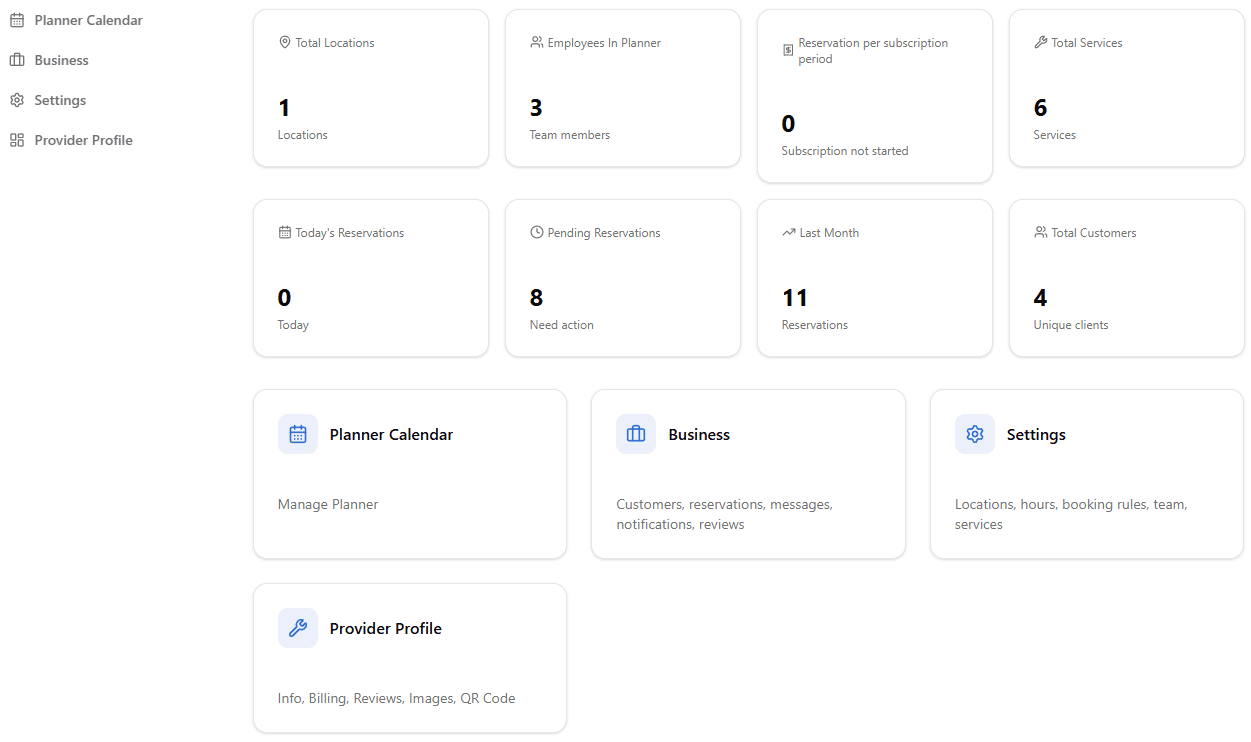
- Business profile with services, reviews, photos, and status.
- View available time slots, receive and track reservations.
- Book multiple services at once.
- Configure booking rules.
- Automatic or manual reservation confirmation.
- Ability to cancel appointments with a cancellation reason.
- Automatic or manual completion of confirmed reservations.
- Automatic or manual cancellation of unconfirmed reservations.
- Recurring appointments.
- Appointments for work at the customer's location.
- Add one or more business locations, based on your plan.
- Working hours and appointment hours per location.
- Add non-working days and holidays.
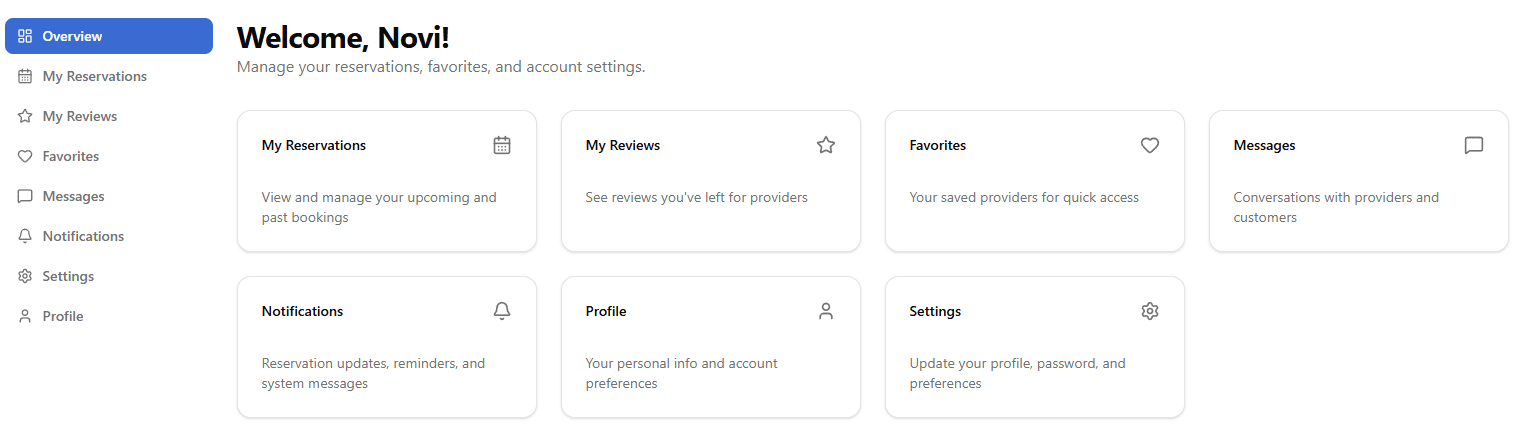
- Planner calendar with locations, staff, and multiple time-range views.
- Book internal appointments.
- Delegate appointments to staff.
- Add, invite staff members, and configure their privileges.
- Add resources or objects for booking.
- Add staff who don't take bookings but can still work on the platform.
- Appointment hours and services provided, per staff member or resource.
- Add services you offer by location and by the staff who perform them.
- Customer list with details, notes, and search.
- Block unwanted customers.
- Message customers directly on the platform.
- Receive notifications based on your preferences.
- View ratings, reviews, and reply to them.
- Booking statistics and reports.
- Image gallery and business logo.
- QR code so customers can find you easily.
- Email and in-app notifications.
- Customer support.
How does the activation process look?
- 1
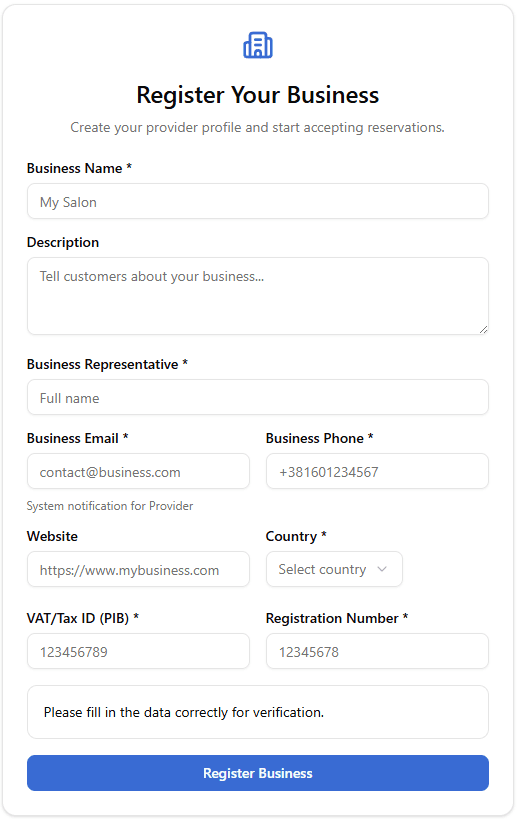
Register as a user.
- 2
Start business registration and complete the minimum Business Profile setup.
- 3
You are now available to your Customers for receiving bookings.
- 4
Of course, complete your Business Profile to offer all your services, add employees if you have them, and take full advantage of everything the BookAService platform offers. Our Help Center page contains detailed instructions you can use.
Ready to Get Started?
An online booking system can save you hours of work each week. Sign up as a User in a minute and complete the settings for your business in a few more minutes. Start your free 30-day trial plan.